☰ 💳 Datalayer Stripe Addon
KubernetesAddons
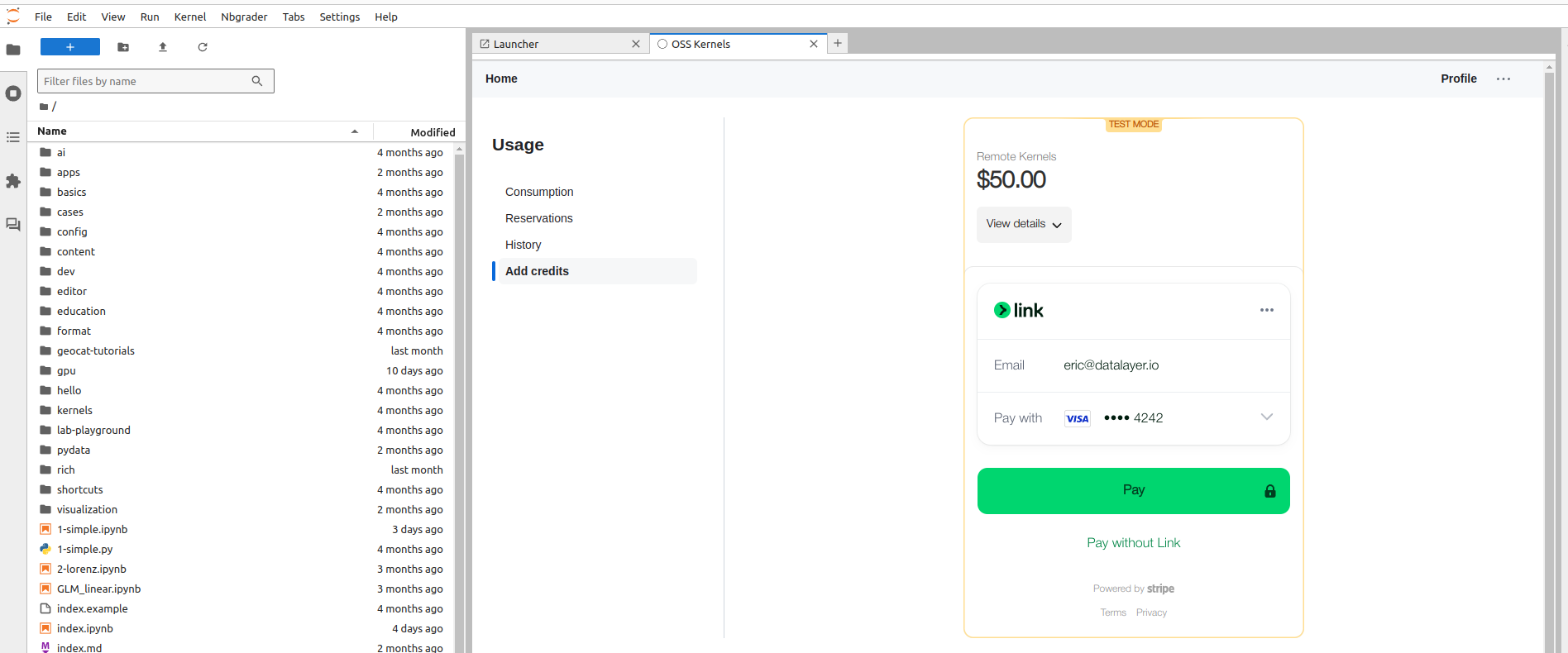
Stripe provides subscription-aware top-up billing for Datalayer IAM credits.
- Manual
- Terraform
Follow the Stripe setup and validation steps below.
cd terraform
terraform init
terraform apply
./generated/clouder-Kubeadm-setup.sh
export KUBECONFIG=~/.clouder/kubeadm/<cluster-name>/kubeconfig
./generated/plane-deploy-all-services.sh
Behavior
- A Stripe customer is created for each Datalayer account.
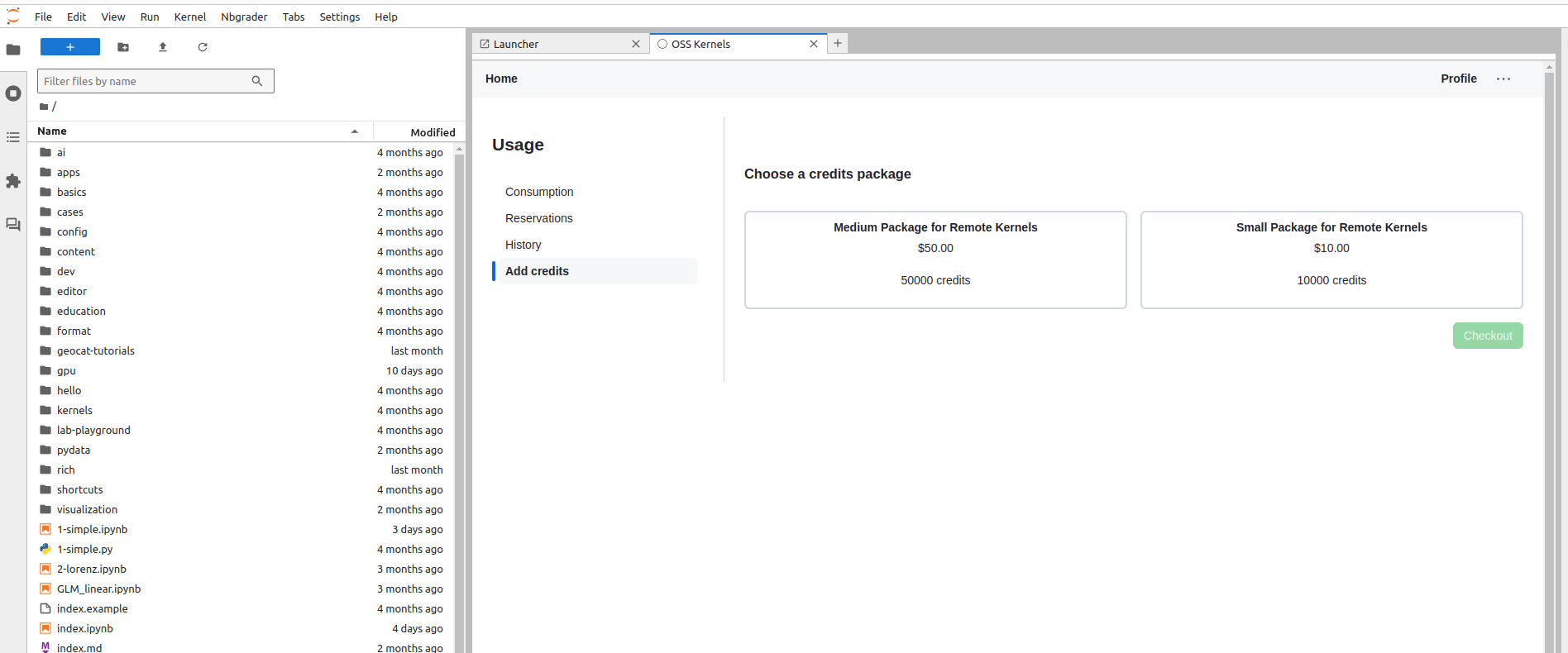
- Top-up prices are exposed from one configured top-up product.
- Top-up PaymentIntent client secrets are created for Stripe Elements checkout.
- Top-up is allowed only when the user has an active monthly subscription.
- Credits are applied from
payment_intent.succeededwebhook metadata. - Subscription status snapshots are maintained from subscription and invoice webhooks.
Business Rule
Top-up purchase requires an active monthly subscription.
API Surface
Base path: /api/iam/stripe/v1
POST /topup/payment-intentcreates a PaymentIntent client secret for top-up.GET /topup/priceslists top-up prices fromDATALAYER_STRIPE_TOPUP_PRODUCT_ID.POST /webhookprocesses Stripe webhook events.
Subscription status and cancellation endpoints are available in IAM under /api/iam/v1/subscription*.
Required Environment Variables
Set these values on the IAM runtime:
DATALAYER_STRIPE_API_KEY(sk_test_...orsk_live_...)DATALAYER_STRIPE_JS_API_KEY(pk_test_...orpk_live_...)DATALAYER_STRIPE_TOPUP_PRODUCT_ID(top-up product in the same environment)DATALAYER_STRIPE_SUBSCRIPTION_PRODUCT_ID(monthly subscription product in the same environment)DATALAYER_STRIPE_WEBHOOK_SECRET(whsec_...)DATALAYER_STRIPE_CHECKOUT_ROUTE(default:checkout)DATALAYER_STRIPE_CUST_PORTAL_ID(billing portal configuration id)DATALAYER_STRIPE_CUST_PORTAL_URL(billing portal URL)
Stripe Setup Flow
Use the same environment (Test or Production) for every artifact below.
- Create API keys and set
DATALAYER_STRIPE_API_KEYandDATALAYER_STRIPE_JS_API_KEY. - Create top-up product
Datalayer Creditswith one-time package prices, and setDATALAYER_STRIPE_TOPUP_PRODUCT_ID. - Create monthly subscription product(s) and set
DATALAYER_STRIPE_SUBSCRIPTION_PRODUCT_ID. - Configure Billing Portal and set
DATALAYER_STRIPE_CUST_PORTAL_IDandDATALAYER_STRIPE_CUST_PORTAL_URL. - Configure webhook endpoint
https://<your-domain>/api/iam/stripe/v1/webhookand setDATALAYER_STRIPE_WEBHOOK_SECRET.
Webhook Events Used
payment_intent.succeededcustomer.subscription.createdcustomer.subscription.updatedcustomer.subscription.deletedinvoice.paidinvoice.payment_failed
Validation Checklist
- Without active monthly subscription,
POST /api/iam/stripe/v1/topup/payment-intentreturns403. - With active monthly subscription, top-up PaymentIntent creation succeeds.
payment_intent.succeededwebhook returns2xxand IAM credits increase.- Failed payments do not add credits.
- IAM
/api/iam/v1/subscriptionreflects webhook-driven subscription snapshots.
warning
- Stripe retries webhook delivery with exponential backoff on non-2xx responses.
- Webhooks can be delivered multiple times; handlers must be idempotent.